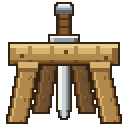
Coming from the Data Pack
Racks already standing in your world can be imported automatically, with the items still on them. Turn on adopt-datapack-racks in config.yml, which is off by default.
Remove the data pack first
Do not run the data pack and the plugin at the same time. Both will try to control the same racks.
Steps
- Stop the server.
- Back up your world. This is the one step worth not skipping.
- Delete the Racks data pack from every world's
datapacksfolder. Do not run the data pack's uninstall function, that removes the racks themselves. - Put the plugin jar in
plugins. - In
plugins/Racks/config.yml, setadopt-datapack-racks: true. - Start the server.
That is all. Racks are imported as their chunks load, so a large world moves over gradually as players travel rather than all at once on startup.
Leave adopt-datapack-racks: false (the default) if you would rather leave old racks alone and not bring them into the plugin.
What carries over
Kept
The wood, which way the rack faces, whether it is on the floor or a wall, the items on it and the pose they are arranged in.
Not kept
Who originally placed the rack. The data pack recorded it but never used it, and neither does the plugin.
Rack items in players' inventories
Nothing to do. Racks in chests, shulkers and inventories keep working straight away.
They take their new name the next time their owner logs in, which is what shows them in that player's language instead of fixed English.
If a rack is missing after the move
Walk into its chunk and back out, then in again. A rack whose frame is missing is rebuilt whenever its chunk loads, so the round trip usually fixes it.
Coming from Racks V.2
Update to the V.3 data pack and run its from_v2 upgrade before installing the plugin. The plugin can only read V.3 racks.