Getting Started
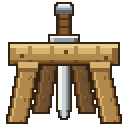
Racks adds wooden display racks for tools and weapons. Craft one, put it on the floor or on a wall, and right-click it with something in hand.
It is a plugin port of KawaMood's Racks data pack. Everything a player sees is the same. What is different is underneath: racks live in a database, so they survive a world upgrade and never depend on command storage.
Requirements
- Minecraft 1.21.11
- Paper, a Paper fork, or Folia
- Java 21
No resource pack is needed. The rack item is a player head with a custom skin, and the rack itself is built from ordinary fences and buttons, so it looks right on a plain client.
Download
Obtain the latest Racks-<version>.jar from the project's published downloads.
Install
- Stop the server.
- If the Racks data pack is installed in any world, remove it now. See Coming from the Data Pack before you do.
- Put the jar in the
pluginsfolder. - Start the server.
On first start the plugin creates plugins/Racks/ with config.yml, the language files and an empty racks.db.
Your first rack
1. Craft it
Three planks in a row with two sticks below the ends. Any of the twelve woods works.
2. Place it
On the ground for two tool slots, or against a wall for one. A floor rack turns to face you.
3. Fill it
Right-click with a tool in hand to put it up. Right-click with an empty hand to take it back.