Features ✨
Here is an overview of everything EnhancedEchest brings to your Minecraft server. Jump straight to what you're after:
Larger Ender Chests
Up to 54 slots, configurable in multiples of nine.
Multi-Chest System
Own several chests, each managed from an in-game menu.
Database Storage
SQLite, MySQL, MariaDB, or PostgreSQL; async and pooled.
No Item Duplication
Dupe-safe by design, even with shared and admin viewers.
Migration
Import players' existing vanilla ender chest data.
Cross-Platform
One jar for Paper, Folia, and Purpur forks.
📦 Larger Ender Chests
EnhancedEchest replaces the vanilla 27-slot ender chest with a configurable GUI of up to 54 slots.
Same Block, More Space
Players open their ender chest exactly the way they always have, by right-clicking an ender chest block, and get the larger inventory instead of the vanilla screen.
- Opens on right-click or via
/ec - The real ender chest block keeps its open/close lid animation
- Size is configurable in multiples of 9, from 9 up to 54
Configurable Size
The default size for a player's first chest is set with enderchest.default-size in config.yml. Admins can also resize any individual chest with /ee resize.
- Valid sizes:
9,18,27,36,45,54 - Invalid values are rounded to the nearest valid size
- Defaults to
54(a full double chest)
🗂️ Multi-Chest System
Players are no longer limited to one ender chest. Each player can own several, managed through an in-game menu.
Chest List Menu
/eclist to open a dialog listing every chest the player owns, each showing its slot count. An Edit mode checkbox switches what clicking a chest does: with it off (the default) a chest opens straight away; tick it and clicking a chest opens its management menu instead, where players can rename it, give it a custom icon, or pick which chest is their main. The checkbox toggles in place, so flipping it never reopens the dialog. Main Chest
/ec and by right-clicking an ender chest block. Until a main is chosen, those open the management menu instead. A new chest is never made main automatically; players set it from the menu (and can always reach the menu with /eclist). Customize Each Chest
- Rename it — a named chest shows that name as its inventory title (unnamed chests fall back to Ender Chest or Ender Chest {index})
- Choose an icon — pick any item to represent the chest in the list, with a searchable item picker, or reset to the default ender-chest icon
Admin Management
/ee add, /ee resize, and /ee delete. Deleting the main chest leaves the player with no main until they pick a new one from the menu. Permission-Granted Chests
enhancedechest.additional_amount.<count>.slot.<size> grants that many chests at that size, e.g. ...2.slot.54 gives two 54-slot chests. Matching nodes stack, grants sync on open, and removing a node removes those chests (spilling any items to a recoverable temporary chest). The player's base chest is always protected. See the Permissions page. View Other Players' Chests
/ee view <player> an admin can open any player's chest, online or offline. One chest opens directly; with several, a picker menu lets you choose (or use /ee view <player> list to always show it, or <index> for a specific chest). Grant admin.view for a read-only look, or add admin.edit to take and add items. The admin joins the same live inventory the owner sees, so contents can never be duplicated (on Paper both can even edit at once). 💾 Database Storage
Every chest's contents are serialized and stored in a database, not in flat player files.
Multiple Backends
- SQLite: built in, zero setup, perfect for single servers
- MySQL / MariaDB: shared storage for networks
- PostgreSQL: for setups already running Postgres
Async & Pooled
See the Database page for connection setup.
🛡️ No Item Duplication
EnhancedEchest is built so that ender chest contents can never be duplicated through reload exploits.
- Contents are loaded fresh from the database every time a chest is opened
- Contents are saved immediately when the chest is closed or the player quits
- A pending-save chain ensures the next open always waits for any in-flight save to finish before loading, so a player can never reopen and read stale data
- When two people view the same chest at once (e.g. an admin via
/ee viewand the owner), they share one live inventory, so even simultaneous editing can't dupe items (concurrent editing on Paper; one viewer at a time on Folia)
🔄 Migration
Already have players with vanilla ender chest data? EnhancedEchest can import it.
- When
migration.enabledistrue, an un-migrated player's vanilla ender chest is imported automatically on join - Admins can trigger migration manually for one player or everyone online with
/ee migrate run - Each player is migrated only once and flagged as done afterward
See the Migration page for details.
🌿 Cross-Platform Support
EnhancedEchest uses a region-aware scheduler (FoliaLib) under the hood, so the same jar runs on:
| Platform | Supported |
|---|---|
| Paper | ✅ |
| Folia | ✅ |
| Purpur / Paper forks | ✅ |
Built and tested against Minecraft 26.1.x on Java 25; other Minecraft versions are not supported.
All third-party libraries (database drivers, connection pool, scheduler) are shaded and relocated into the jar, so no extra downloads or server-side drivers are required.
🪨 Bedrock Support (Geyser)
EnhancedEchest's menus are built on Paper's modern Dialog API, and Geyser automatically converts Java dialogs into native Bedrock forms. That means Bedrock players who join your server through a Geyser proxy get the /eclist chest menu rendered as a proper Bedrock form, buttons, inputs, and all, with no extra configuration on your side.
- The chest list, rename prompt, and "Set as main" actions all surface as Bedrock UI
- Nothing to install on the EnhancedEchest side: the conversion happens in Geyser
- The chest inventory itself is a normal container, so it works on Bedrock as usual
Geyser is doing the work
This support comes from Geyser's built-in Java-to-Bedrock form conversion, not from a Bedrock-specific code path in the plugin. Keep your Geyser build reasonably up to date for the smoothest dialog conversion.
🔔 Update Notifications
EnhancedEchest checks for new releases on startup and quietly notifies admins in-game when an update is available, with a clickable download link.
🌐 Localization
All player-facing text lives in editable language files. Ship a translation by copying the en_US folder, translating it, and pointing language at your new locale. Messages support full MiniMessage formatting. See the Language page.
📊 Usage Statistics
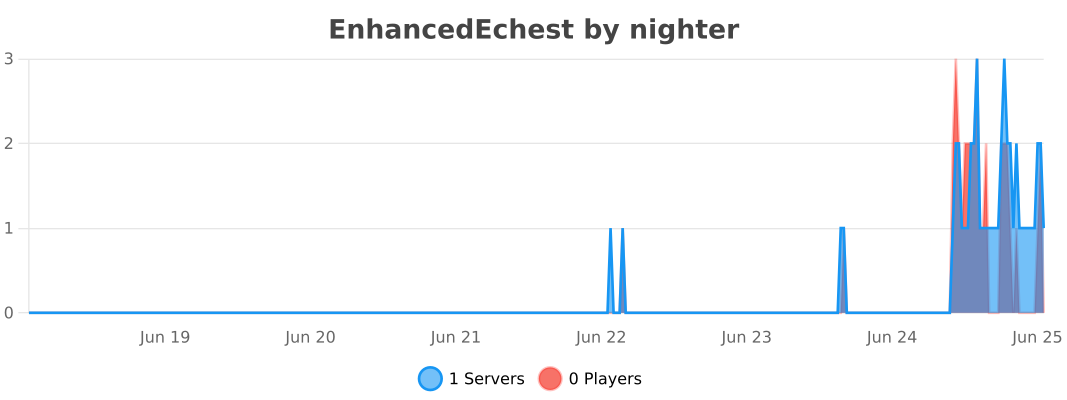
EnhancedEchest reports anonymous usage data to bStats, so you can see how many servers run the plugin alongside breakdowns such as storage backend and language. The collection is anonymous and can be turned off globally in plugins/bStats/config.yml.